

Communication Hub
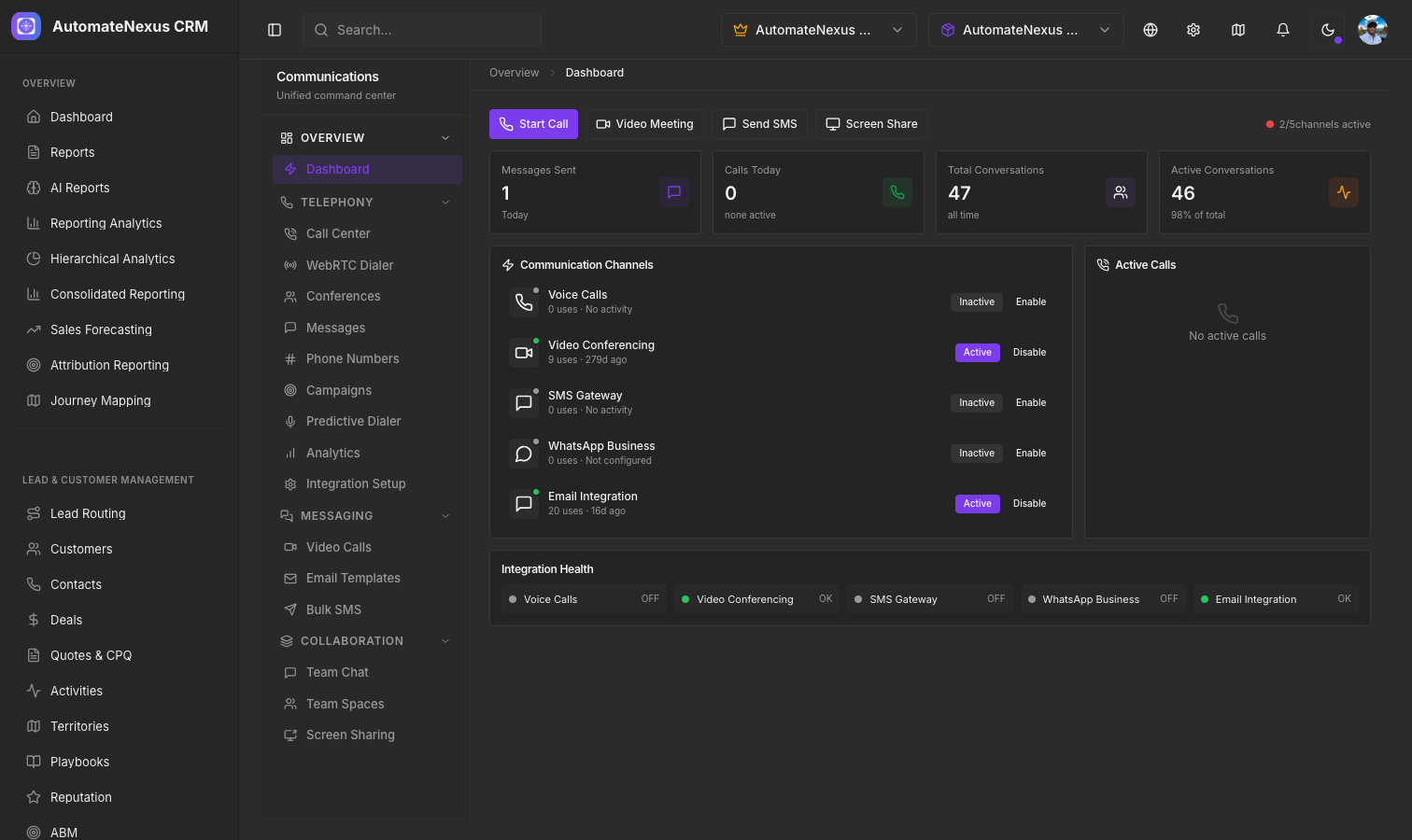
Unified Inbox
The Communication Hub brings together all your communication channels into a single interface. Instead of switching between email, chat, and SMS tools, manage every conversation from one place.
Supported Channels
- Email — Send and receive emails directly within the CRM. Emails are automatically linked to the relevant contact and deal records.
- Chat — Real-time messaging with team members and clients through the built-in chat system.
- SMS — Send text messages to contacts (requires SMS integration setup).
- Social Media — Connect social accounts to manage messages from platforms like Facebook and Instagram.
Conversation Threading
All messages related to a contact or deal are automatically threaded together, giving you full context of the conversation history. You can see:
- Previous messages in the thread
- The contact record linked to the conversation
- Any deals or tasks associated with the contact
Quick Response Templates
Save time with pre-built response templates. Create templates for common scenarios like follow-ups, meeting confirmations, or support responses. Templates support merge fields that automatically populate with contact data.
Notifications
Configure notifications to stay on top of incoming messages:
- In-app notifications for new messages
- Email alerts for messages requiring attention
- Desktop notifications when enabled
Integration with Sales Workflow
Communications are tightly integrated with your sales workflow. From any conversation you can:
- Create a new deal or task
- Log the interaction as an activity
- Add notes for your team
- Schedule a follow-up