

Document Tracking & Analytics
How Document Tracking Works
Document Tracking monitors when prospects open, view, and interact with your proposals, quotes, and other documents. Every view is logged with detailed analytics so you know exactly how engaged a prospect is.
Tracked Metrics
For each document, the system tracks:
- Total views — Number of times the document has been opened
- Unique viewers — Number of distinct people who viewed it
- Time per page — How long viewers spent on each page, displayed as a heatmap
- Device type — Whether the viewer used desktop or mobile
- Forwarding detection — Alerts when a document is viewed by someone other than the original recipient
Page Heatmap
The page heatmap shows a bar chart of time spent per page. This tells you which sections of your proposal are getting the most attention and which are being skipped — invaluable for refining your documents.
Viewer Activity Table
See a detailed log of every viewer, including:
- Email address
- Number of views
- Total time spent
- Device used
- Whether the document was forwarded
Real-Time Notifications
Get notified instantly when a prospect opens your document. This lets you time your follow-up call for maximum impact — reaching out while the prospect is actively reviewing your proposal.
Document Dashboard
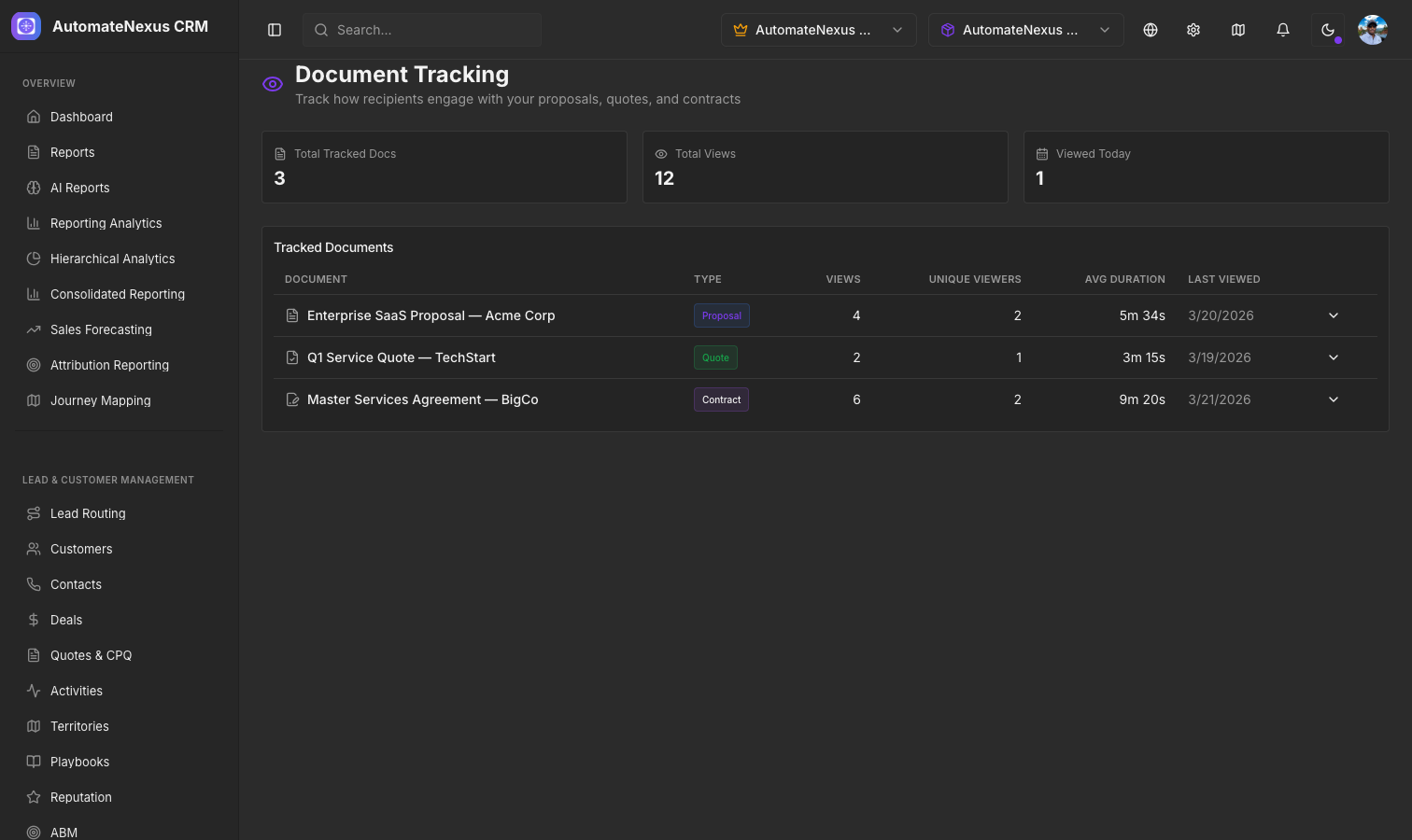
The Document Tracking page shows summary stats across all tracked documents, with a table listing each document, its type, total views, and last viewed date. Click any document to expand its full analytics inline.